A template is a complete shop site project: home page, product list, product page, cart and the hand-off to checkout. All templates are open source under the MIT license (itemshop-templates repository) — change them, copy them and use them outside ItemShop. Templates differ only visually. Cart maths, package bonuses, discounts, the two required checkout consents, Turnstile, the redirect to the gateway and order-status polling are shared and behave the same in every template. Products, prices, payment methods and live widgets come from the Storefront API — you do not hard-code them.

Choosing a template

1

Open the template gallery

When you create the site (wizard or Workspace) you see a gallery with a preview, description and version of every template.
2

Click Use template

ItemShop creates the site project from the template files (revision #1) and builds a preview with your products.
3

Customise and publish

Change the name, logo, colours and texts in src/site.config.ts — in the file editor, by asking the AI editor or your own agent. Then Publish.
Picking another template for an existing site creates a new revision with the new template’s files. The previous version stays in the revision history and you can go back to it.

Bento

Bento
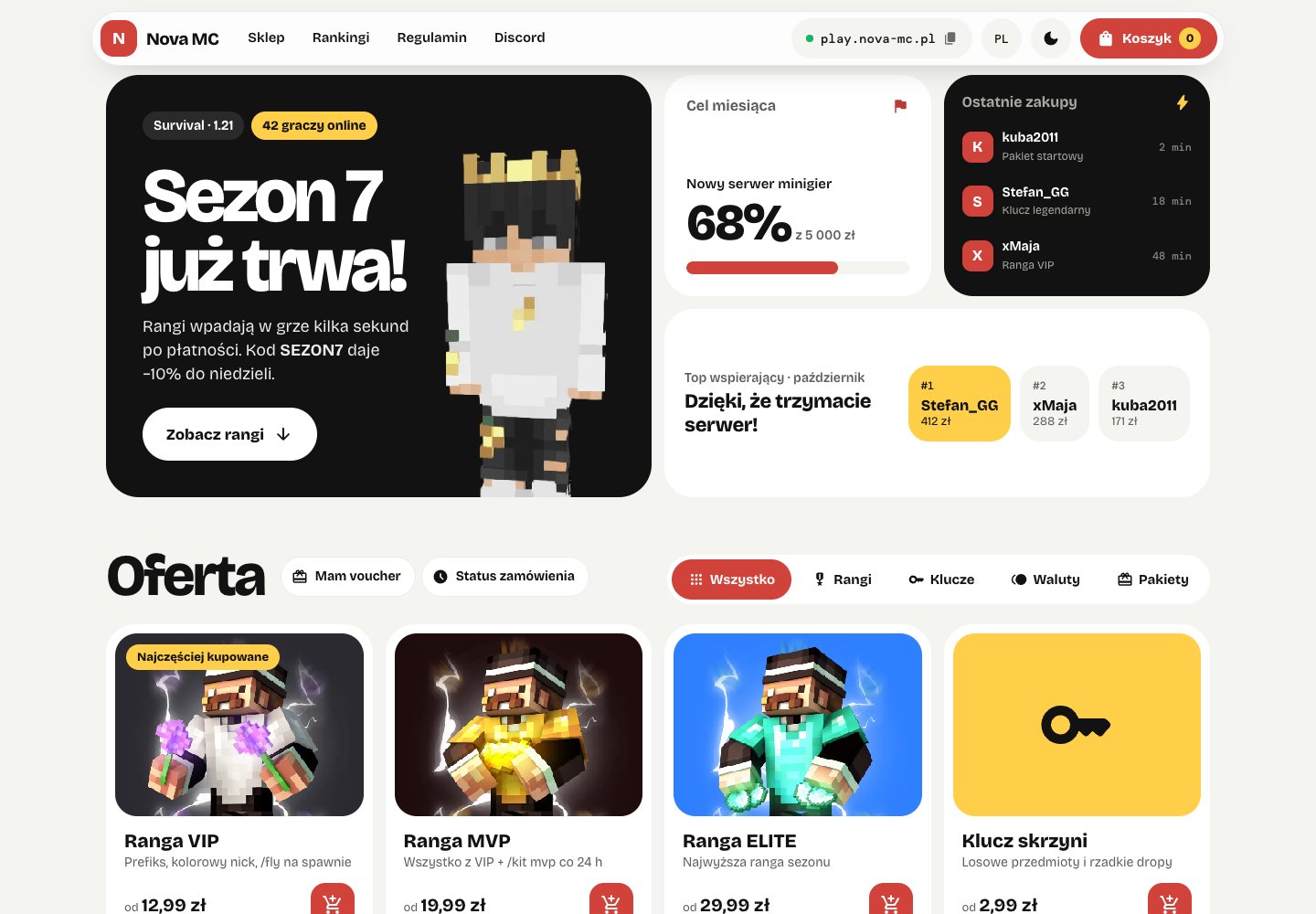
The default ItemShop store: bold tiles, light and dark themes, live monthly goal, recent purchases and top supporters. Best for: General-purpose, the default. bento

Storefront

Storefront
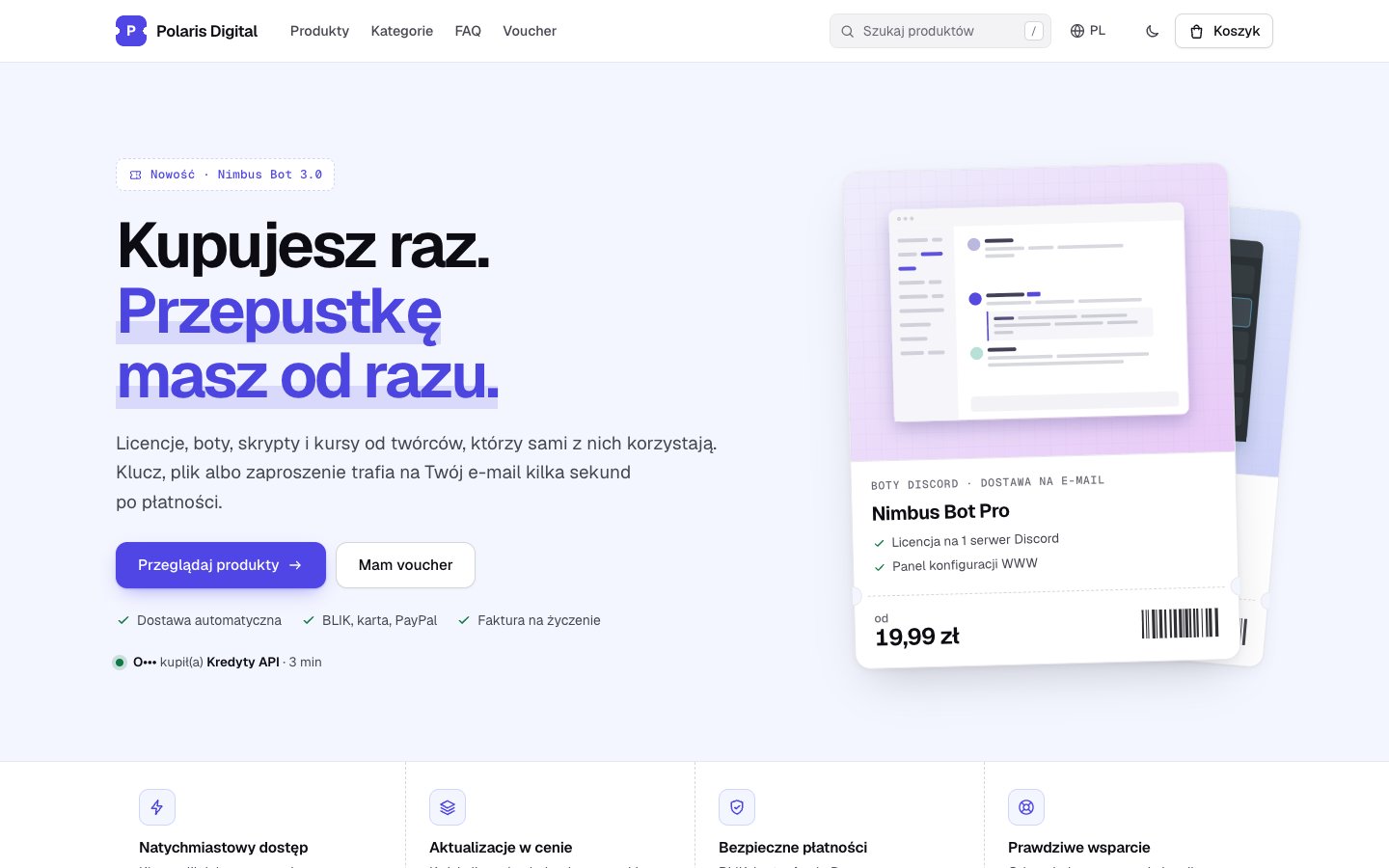
A general-purpose store for digital products (licenses, Discord bots, FiveM/Rust/Roblox resources, courses, subscriptions): one-screen checkout, and everything you buy is a pass — product cards, checkout and confirmation drawn as tickets with a serial number. Search, filters, product pages, light and dark themes. Game-server widgets optional. Best for: Not only Minecraft: digital products. storefront

Portal

Portal
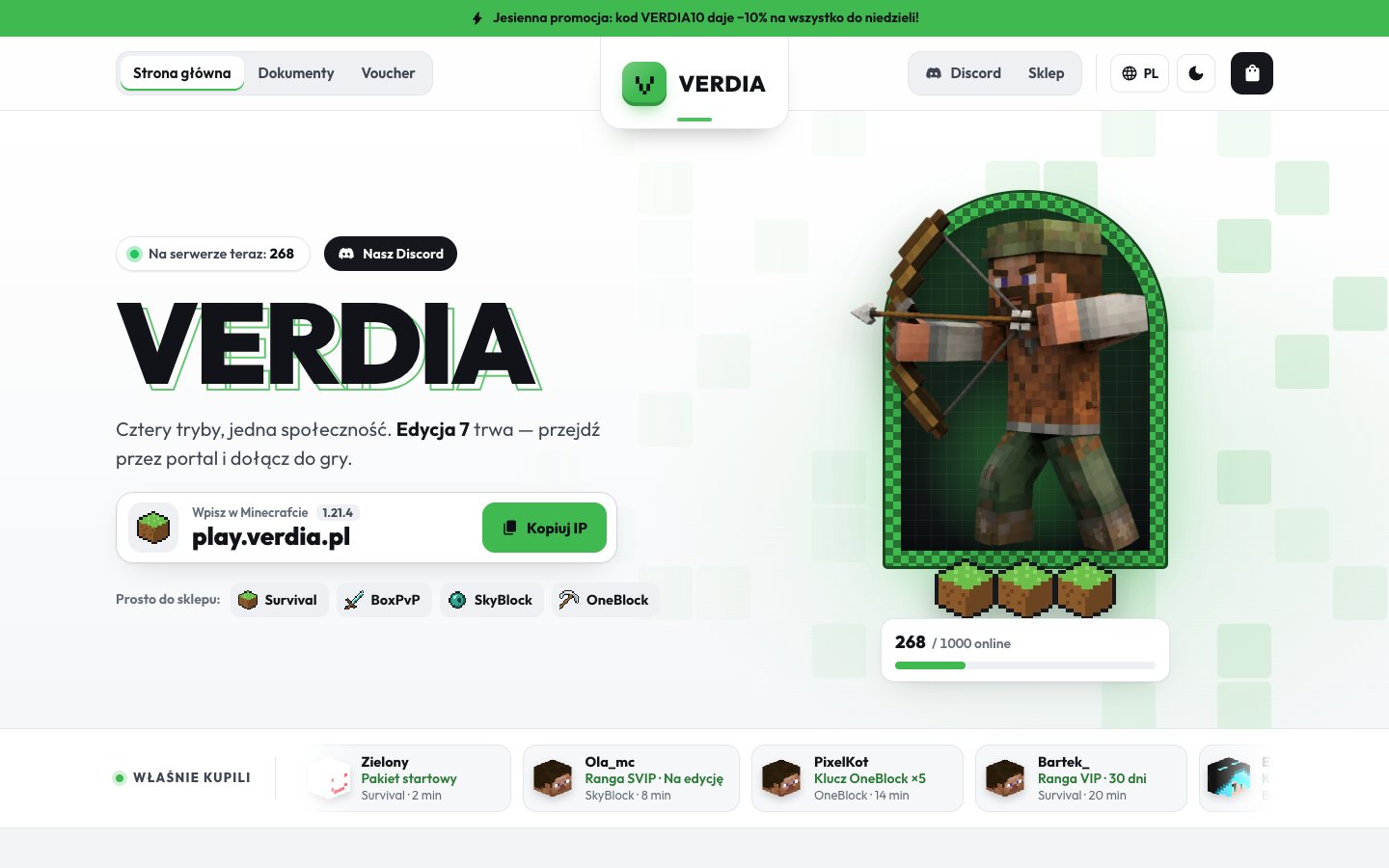
A classic server website with a store: centred logo header, hero with an echoed server name, player counter and character render, mode picker, news, FAQ. Per-mode store with a category sidebar and a separate payment page. Light and dark themes. Best for: Classic server website with a store, multiple modes. portal

Arena

Arena
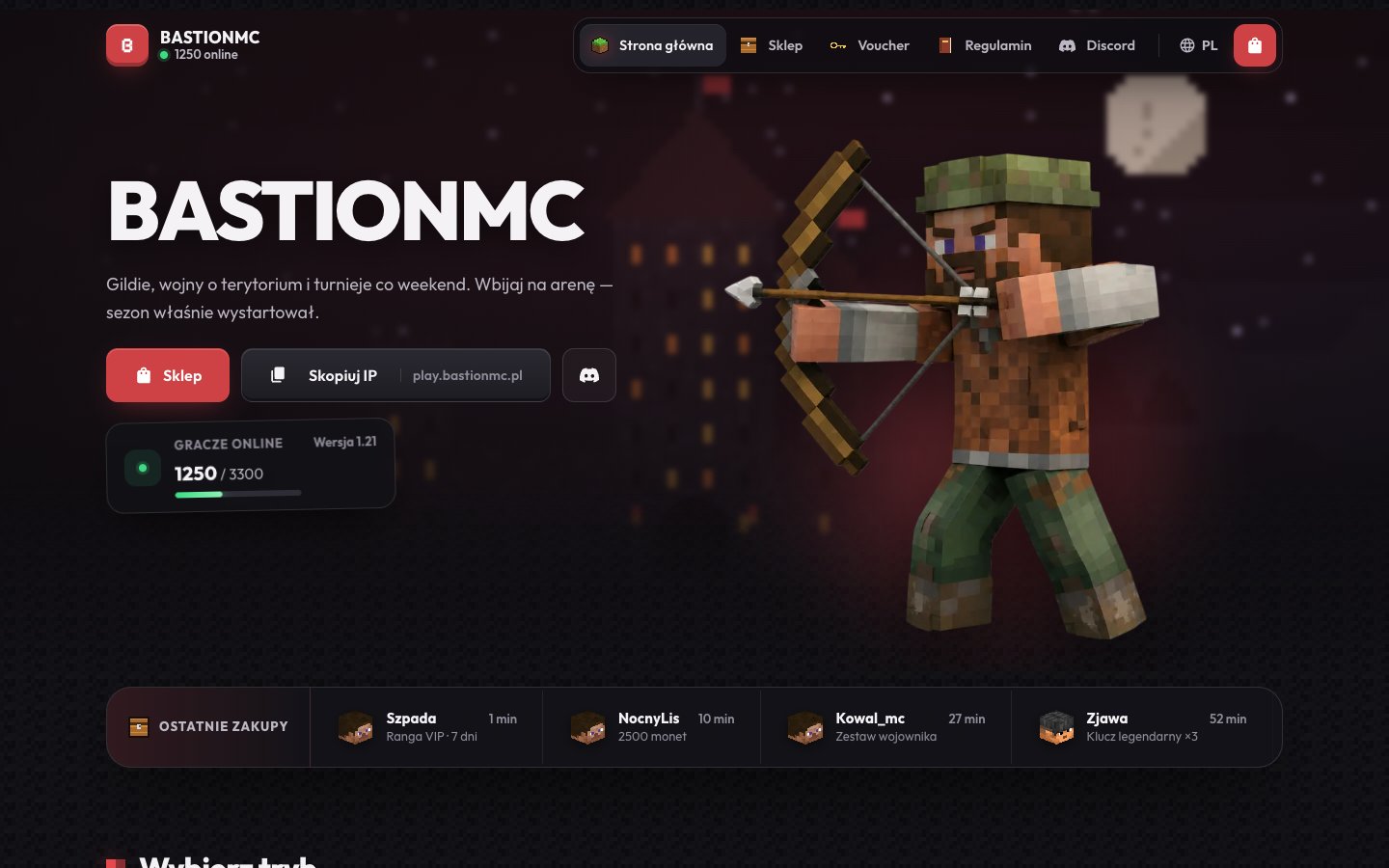
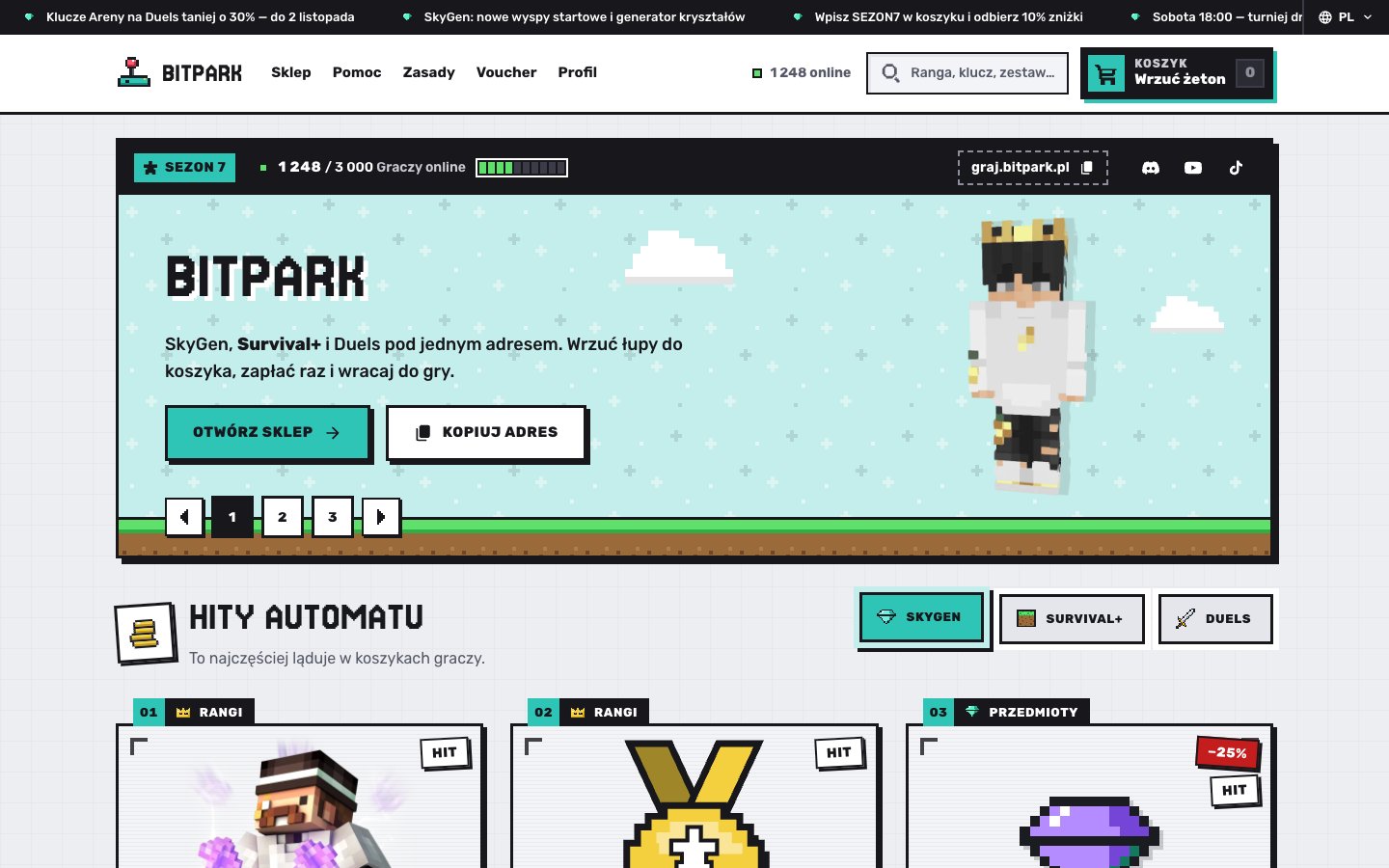
A dark PvP and guilds store: a blurred pixel castle hero with a character render, “Copy IP”, a recent-purchases strip with player heads, mode tiles with pixel items, rank cards with pixel logos, a “Sale” ribbon and a dedicated payment page. Best for: PvP and guilds, dark. arena

Vault

Vault
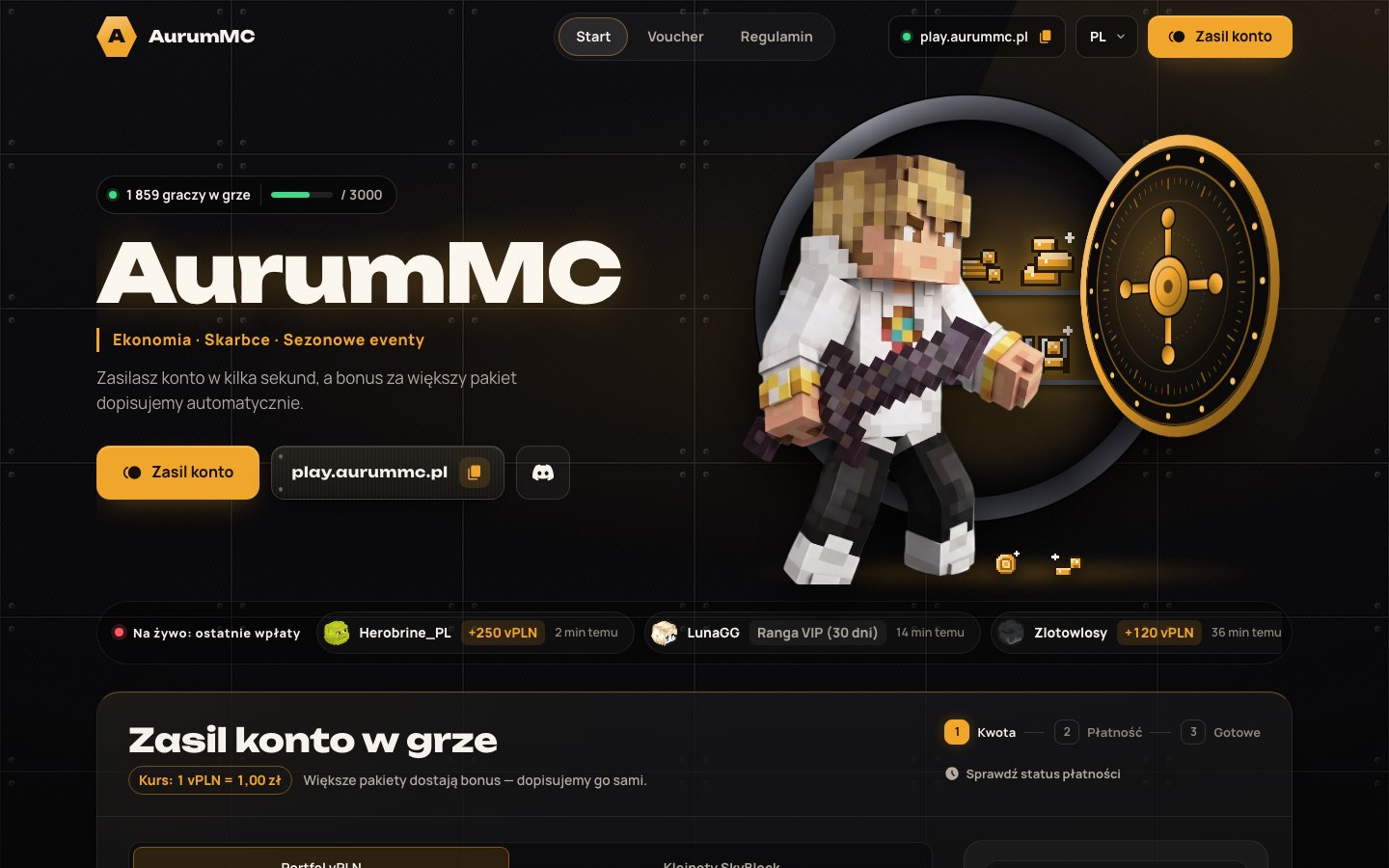
A dark, premium wallet top-up store: golden bokeh, a hero render on a ring of light and a “How much do you want to top up?” card with amount tiles, bonuses and payment in the same card. Best for: Wallet top-ups, premium look. vault

Blocks

Blocks
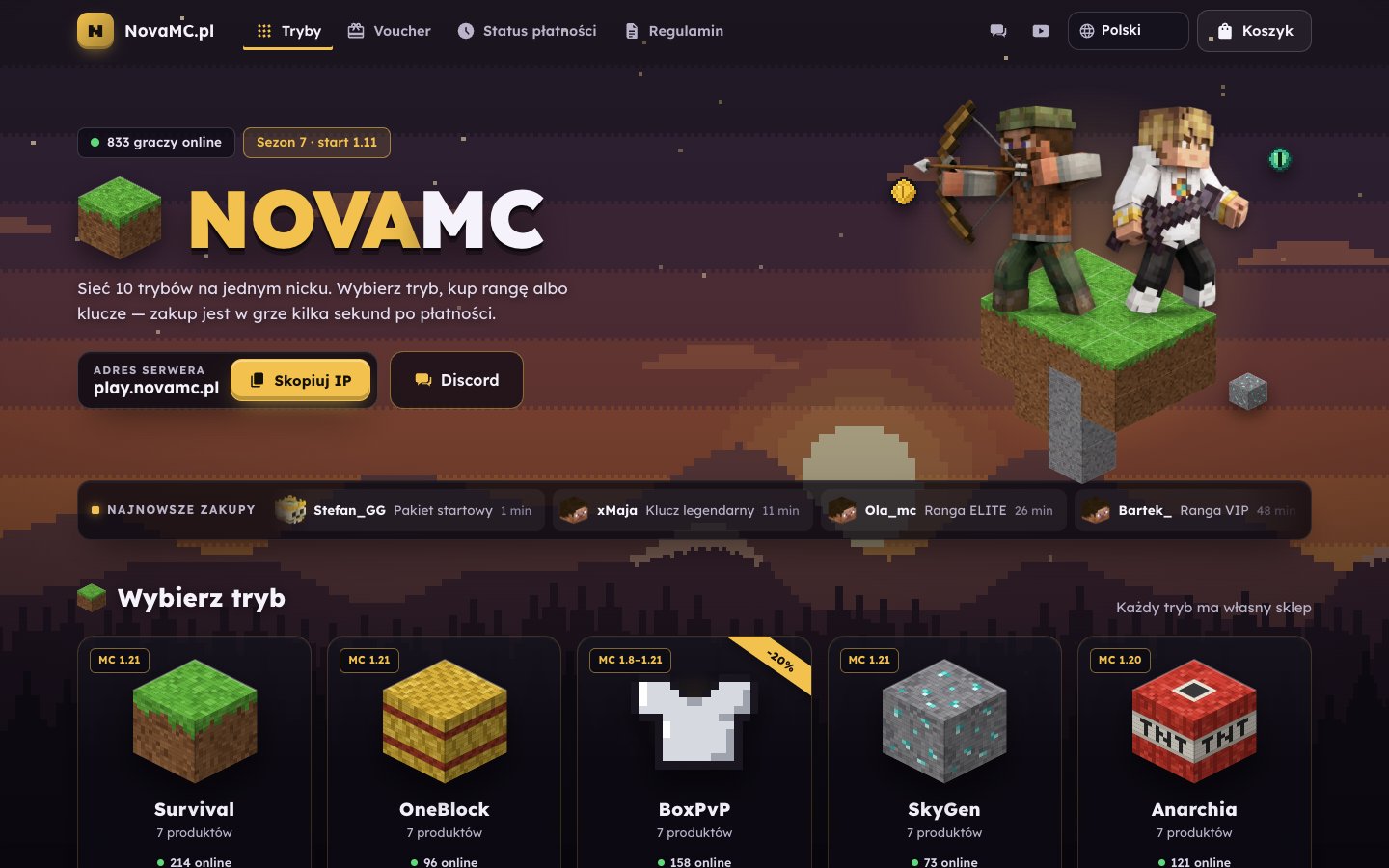
A multi-mode server network: a full-screen pixel landscape at dusk, a title with emoji, link pills and a big grid of mode tiles with pixel blocks. Inside a mode: categories, products with pixel rank logos, recent purchases, monthly goal and top buyers; checkout in a large window with payment tiles. Best for: Server network with many modes. blocks

Horizon

Horizon
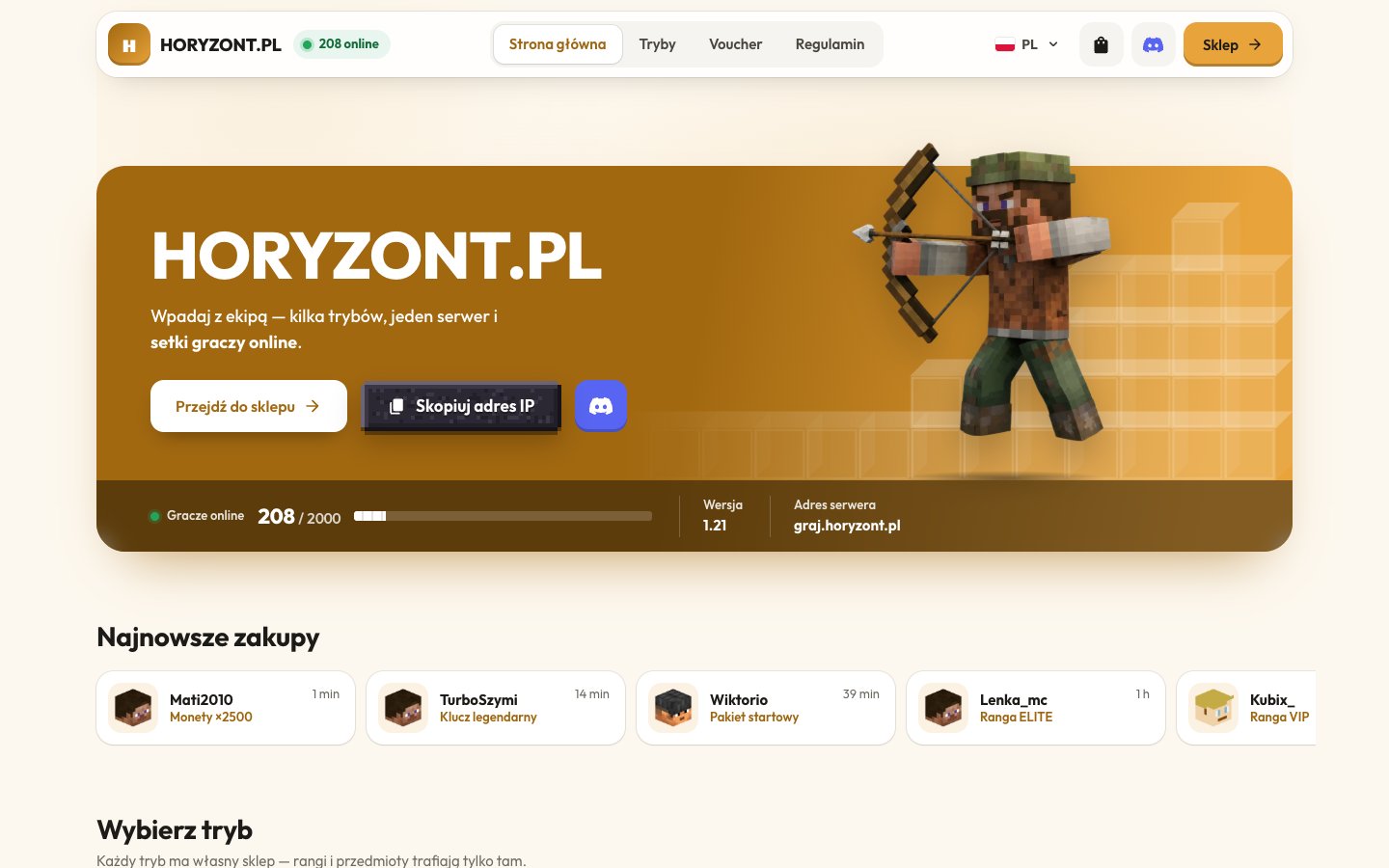
A bright, friendly MC server store: floating header with an online counter, brand-coloured hero card with a render on a status strip, stone “Copy IP”, mode cards with pixel icons, a top-supporters podium and generated rank logos. Best for: Bright, friendly MC server store. horizon

Wallet

Wallet
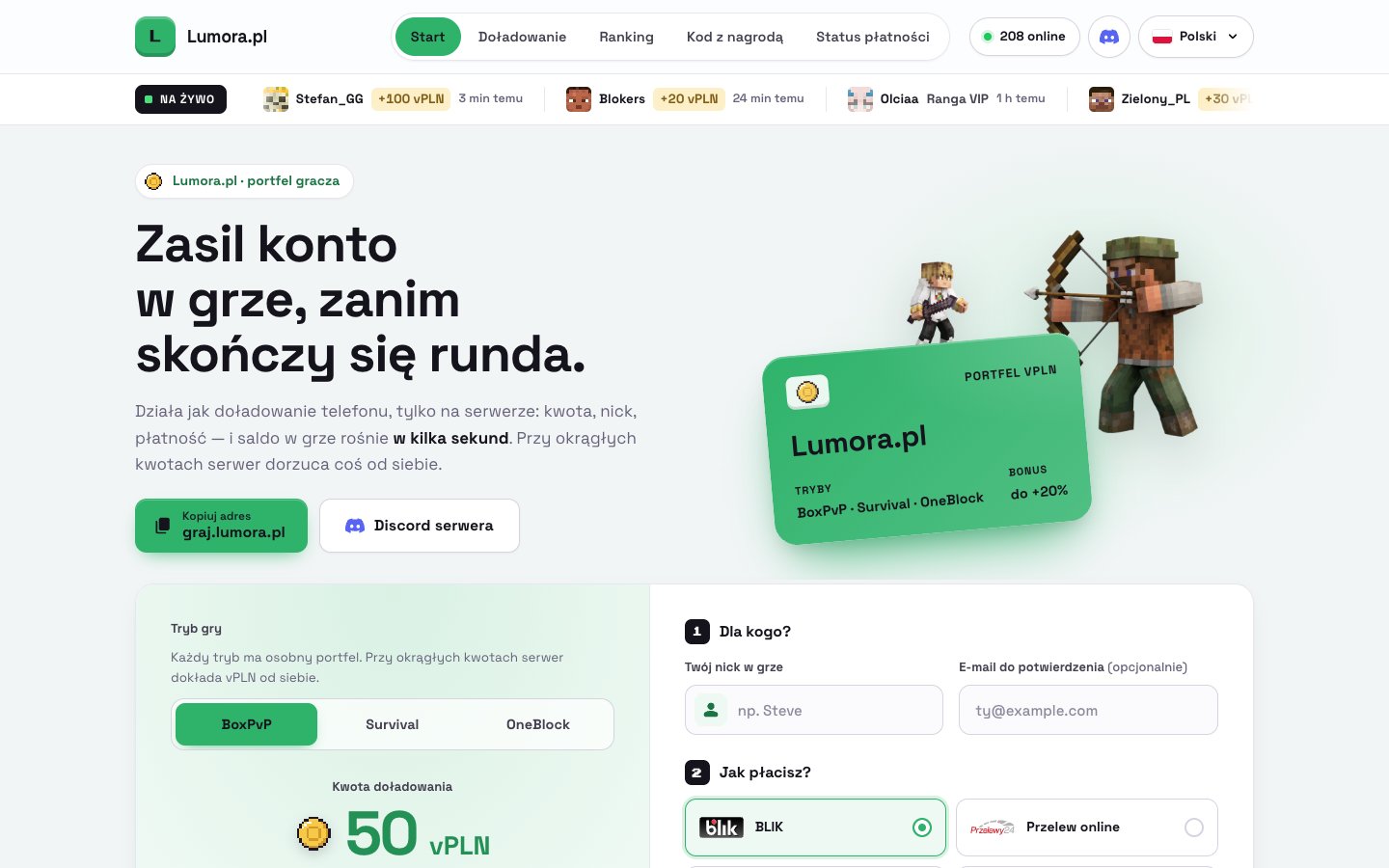
A light, fintech-style wallet top-up store (e.g. vPLN): a top-up card with an amount slider and bonus thresholds next to four payment steps, a live top-up ticker, a wallet card in the hero, ready-made packs and a pixel-block supporter podium. Best for: Fintech-style wallet top-ups. wallet

Arcade

Arcade
A bright, pixel-retro store with a cart: a compact arcade title screen with a HUD, products right below it, cartridge cards on little screens, mode boards, a high-score table and one payment for up to 20 lines. Best for: Retro with a cart (many items in one payment). arcade

Market

Market
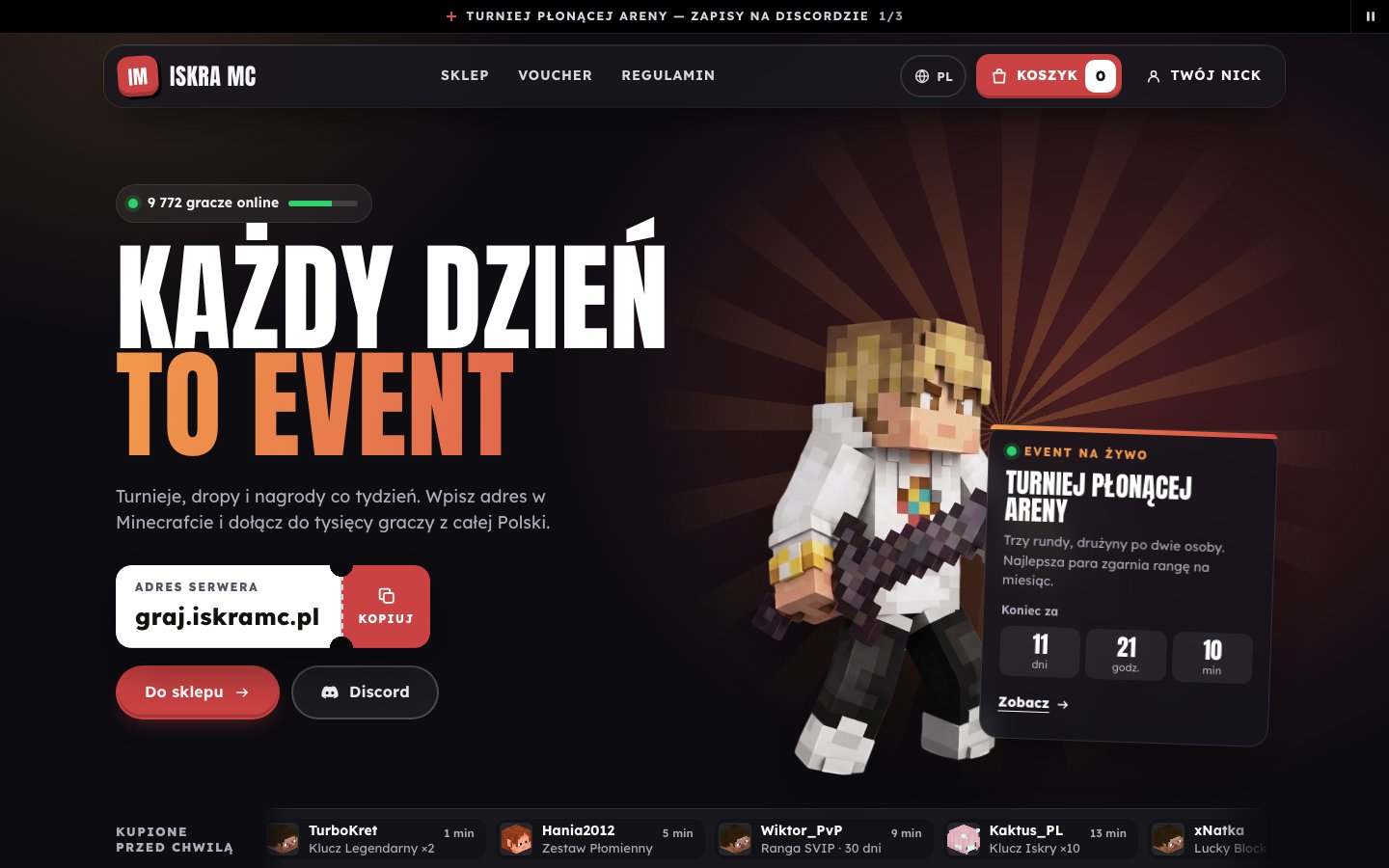
A bold, event-style store with a cart: poster hero with an event countdown, the server address as a ticket, modes with live players, colourful cards with price tags, a cart drawer and one payment for many products. Best for: Event-style store with a cart. market The Arcade and Market templates have a cart: you buy several products (up to 20 lines) in one payment. The other templates sell one item at a time.

From the terminal

The template list (id, name, description, preview, repository, version) is also available through the API: GET /templates.

What is in a template

src/site.config.ts is the only file that defines how the shop looks. Text fields accept one string or a per-language map (a missing language falls back to English, then Polish):
src/site.config.ts
Fields shared by every template (name, logo, colors, theme, serverAddress, nav, footer, languages, checkout) are identical, so AI and agents know where to look. Template-specific sections (hero, monthly goal, top supporters) differ.

Your own template

A template is a plain repository with itemshop.site.json. The rules for submitting a template to the gallery are in CONTRIBUTING.md of the itemshop-templates repository.

AI editor

Change the template by chatting.

CLI

npx itemshop init --template bento